


Advertising seems to be blocked by your browser.
The ads help us provide this software and web site to you for free.
Please support our project by allowing our site to show ads.
Home /
Manufacturers /
YUAN High-Tech Development Co., Ltd /
YUAN HID Infrared Remote Receiver /
USB/VID_1164&PID_30D0&MI_00 /
6.0.111.21 Jan 30, 2012
Driver for YUAN High-Tech Development Co., Ltd YUAN HID Infrared Remote Receiver - downloading and installing it
YUAN HID Infrared Remote Receiver is a MEDIA hardware device. The developer of this driver was YUAN High-Tech Development Co., Ltd. USB/VID_1164&PID_30D0&MI_00 is the matching hardware id of this device.
1. Manually install YUAN High-Tech Development Co., Ltd YUAN HID Infrared Remote Receiver driver
- Download the setup file for YUAN High-Tech Development Co., Ltd YUAN HID Infrared Remote Receiver driver from the location below. This download link is for the driver version 6.0.111.21 dated 2012-01-30.
- Run the driver installation file from a Windows account with the highest privileges (rights). If your User Access Control (UAC) is enabled then you will have to accept of the driver and run the setup with administrative rights.
- Go through the driver setup wizard, which should be quite straightforward. The driver setup wizard will scan your PC for compatible devices and will install the driver.
- Restart your computer and enjoy the new driver, as you can see it was quite smple.
The file size of this driver is 0 bytes (0 B)
This driver was rated with an average of 3.8 stars by 67220 users.

2. How to use DriverMax to install YUAN High-Tech Development Co., Ltd YUAN HID Infrared Remote Receiver driver
The most important advantage of using DriverMax is that it will install the driver for you in the easiest possible way and it will keep each driver up to date. How easy can you install a driver using DriverMax? Let's see!
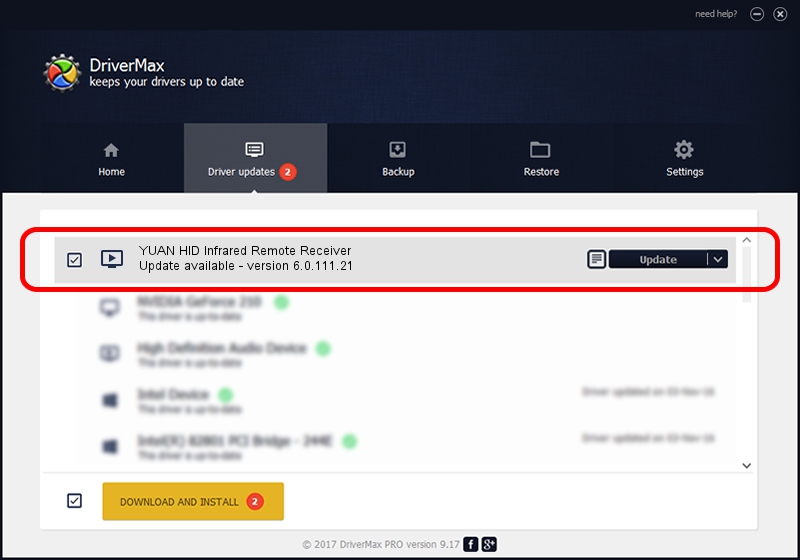
- Open DriverMax and push on the yellow button that says ~SCAN FOR DRIVER UPDATES NOW~. Wait for DriverMax to scan and analyze each driver on your computer.
- Take a look at the list of available driver updates. Scroll the list down until you locate the YUAN High-Tech Development Co., Ltd YUAN HID Infrared Remote Receiver driver. Click on Update.
- Enjoy using the updated driver! :)

Aug 11 2016 7:51AM / Written by Dan Armano for DriverMax
follow @danarm