


Advertising seems to be blocked by your browser.
The ads help us provide this software and web site to you for free.
Please support our project by allowing our site to show ads.
Home /
Manufacturers /
TeVii Technology, Ltd. /
TeVii S46x Capture /
PCI/VEN_14F1&DEV_8801&SUBSYS_9022D464 /
5.1.9.3 Nov 20, 2014
Driver for TeVii Technology, Ltd. TeVii S46x Capture - downloading and installing it
TeVii S46x Capture is a MEDIA hardware device. The Windows version of this driver was developed by TeVii Technology, Ltd.. The hardware id of this driver is PCI/VEN_14F1&DEV_8801&SUBSYS_9022D464.
1. How to manually install TeVii Technology, Ltd. TeVii S46x Capture driver
- You can download from the link below the driver installer file for the TeVii Technology, Ltd. TeVii S46x Capture driver. The archive contains version 5.1.9.3 released on 2014-11-20 of the driver.
- Start the driver installer file from a user account with the highest privileges (rights). If your User Access Control (UAC) is started please accept of the driver and run the setup with administrative rights.
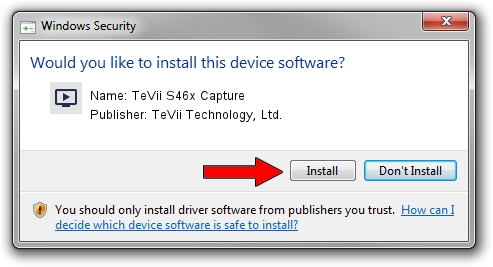
- Go through the driver installation wizard, which will guide you; it should be quite easy to follow. The driver installation wizard will scan your computer and will install the right driver.
- When the operation finishes shutdown and restart your computer in order to use the updated driver. It is as simple as that to install a Windows driver!
Driver file size: 264383 bytes (258.19 KB)
This driver received an average rating of 4.9 stars out of 68195 votes.
This driver was released for the following versions of Windows:
- This driver works on Windows 2000 32 bits
- This driver works on Windows Server 2003 32 bits
- This driver works on Windows XP 32 bits
- This driver works on Windows Vista 32 bits
- This driver works on Windows 7 32 bits
- This driver works on Windows 8 32 bits
- This driver works on Windows 8.1 32 bits
- This driver works on Windows 10 32 bits
- This driver works on Windows 11 32 bits
2. How to install TeVii Technology, Ltd. TeVii S46x Capture driver using DriverMax
The advantage of using DriverMax is that it will install the driver for you in the easiest possible way and it will keep each driver up to date, not just this one. How can you install a driver using DriverMax? Let's follow a few steps!
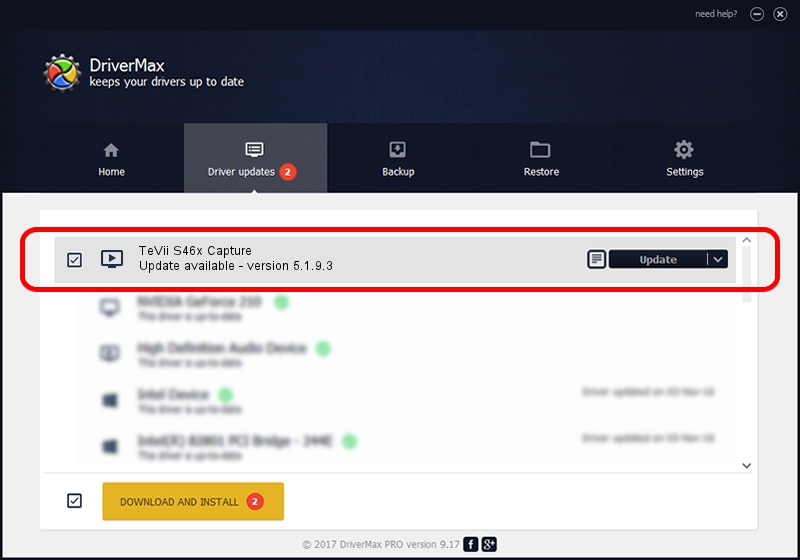
- Open DriverMax and click on the yellow button named ~SCAN FOR DRIVER UPDATES NOW~. Wait for DriverMax to analyze each driver on your PC.
- Take a look at the list of detected driver updates. Search the list until you locate the TeVii Technology, Ltd. TeVii S46x Capture driver. Click the Update button.
- Enjoy using the updated driver! :)

Jun 20 2016 12:48PM / Written by Andreea Kartman for DriverMax
follow @DeeaKartman