


Advertising seems to be blocked by your browser.
The ads help us provide this software and web site to you for free.
Please support our project by allowing our site to show ads.
Home /
Manufacturers /
ViewCast Corp /
Osprey-100e Capture Device /
PCI/VEN_14F1&DEV_8880&SUBSYS_01001576 /
4.6.2.26 Feb 26, 2013
ViewCast Corp Osprey-100e Capture Device how to download and install the driver
Osprey-100e Capture Device is a MEDIA hardware device. This Windows driver was developed by ViewCast Corp. The hardware id of this driver is PCI/VEN_14F1&DEV_8880&SUBSYS_01001576.
1. ViewCast Corp Osprey-100e Capture Device - install the driver manually
- Download the driver setup file for ViewCast Corp Osprey-100e Capture Device driver from the location below. This download link is for the driver version 4.6.2.26 released on 2013-02-26.
- Start the driver setup file from a Windows account with the highest privileges (rights). If your User Access Control Service (UAC) is running then you will have to accept of the driver and run the setup with administrative rights.
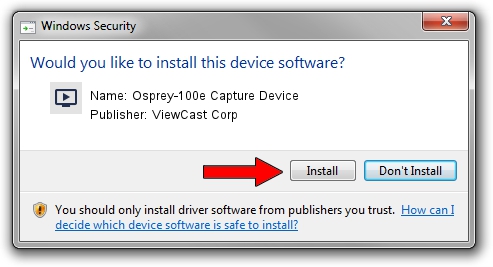
- Go through the driver installation wizard, which should be pretty easy to follow. The driver installation wizard will analyze your PC for compatible devices and will install the driver.
- Shutdown and restart your computer and enjoy the new driver, it is as simple as that.
Driver file size: 2237189 bytes (2.13 MB)
This driver was rated with an average of 4.6 stars by 2680 users.
This driver was released for the following versions of Windows:
- This driver works on Windows 2000 64 bits
- This driver works on Windows Server 2003 64 bits
- This driver works on Windows XP 64 bits
- This driver works on Windows Vista 64 bits
- This driver works on Windows 7 64 bits
- This driver works on Windows 8 64 bits
- This driver works on Windows 8.1 64 bits
- This driver works on Windows 10 64 bits
- This driver works on Windows 11 64 bits
2. The easy way: using DriverMax to install ViewCast Corp Osprey-100e Capture Device driver
The most important advantage of using DriverMax is that it will setup the driver for you in just a few seconds and it will keep each driver up to date, not just this one. How can you install a driver with DriverMax? Let's see!
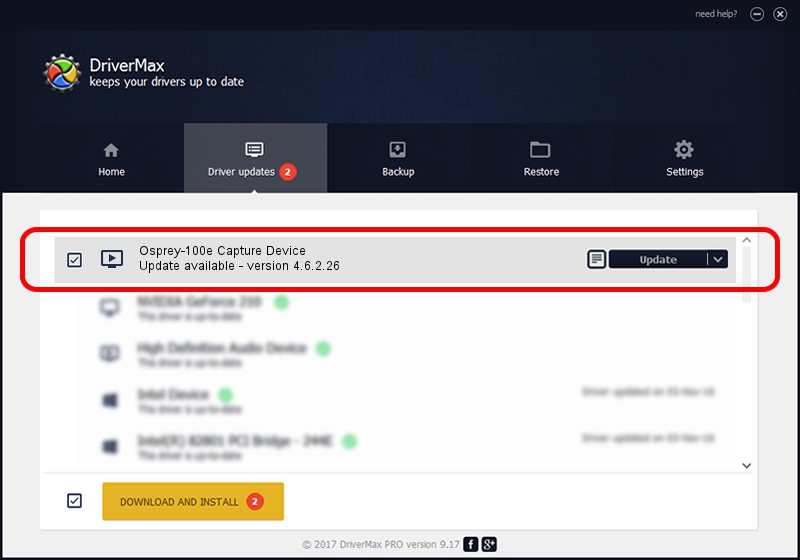
- Start DriverMax and click on the yellow button that says ~SCAN FOR DRIVER UPDATES NOW~. Wait for DriverMax to analyze each driver on your computer.
- Take a look at the list of available driver updates. Scroll the list down until you locate the ViewCast Corp Osprey-100e Capture Device driver. Click on Update.
- Finished installing the driver!

May 20 2024 2:05AM / Written by Andreea Kartman for DriverMax
follow @DeeaKartman