


Advertising seems to be blocked by your browser.
The ads help us provide this software and web site to you for free.
Please support our project by allowing our site to show ads.
Home /
Manufacturers /
Edimax Technology Co., Ltd /
Edimax AC450 Wireless LAN USB Adapter /
USB/VID_7392&PID_A711 /
5.01.11.0000 Feb 14, 2014
Edimax Technology Co., Ltd Edimax AC450 Wireless LAN USB Adapter - two ways of downloading and installing the driver
Edimax AC450 Wireless LAN USB Adapter is a Network Adapters hardware device. This Windows driver was developed by Edimax Technology Co., Ltd. USB/VID_7392&PID_A711 is the matching hardware id of this device.
1. Manually install Edimax Technology Co., Ltd Edimax AC450 Wireless LAN USB Adapter driver
- You can download from the link below the driver setup file for the Edimax Technology Co., Ltd Edimax AC450 Wireless LAN USB Adapter driver. The archive contains version 5.01.11.0000 dated 2014-02-14 of the driver.
- Run the driver installer file from a user account with the highest privileges (rights). If your UAC (User Access Control) is started please accept of the driver and run the setup with administrative rights.
- Go through the driver setup wizard, which will guide you; it should be quite easy to follow. The driver setup wizard will analyze your PC and will install the right driver.
- When the operation finishes shutdown and restart your PC in order to use the updated driver. As you can see it was quite smple to install a Windows driver!
File size of the driver: 0 bytes (0 B)
Driver rating 3.2 stars out of 99831 votes.
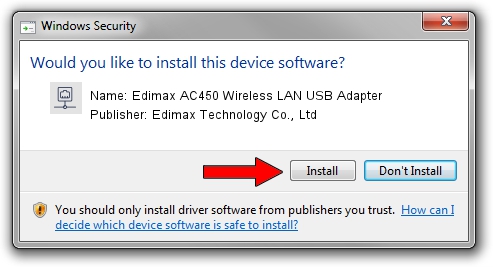
2. Installing the Edimax Technology Co., Ltd Edimax AC450 Wireless LAN USB Adapter driver using DriverMax: the easy way
The most important advantage of using DriverMax is that it will setup the driver for you in just a few seconds and it will keep each driver up to date. How can you install a driver with DriverMax? Let's follow a few steps!
- Open DriverMax and press on the yellow button that says ~SCAN FOR DRIVER UPDATES NOW~. Wait for DriverMax to analyze each driver on your PC.
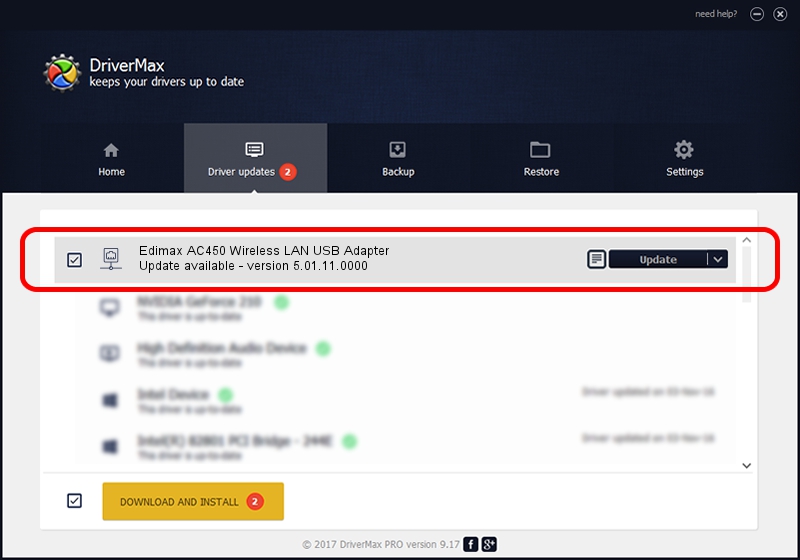
- Take a look at the list of detected driver updates. Search the list until you find the Edimax Technology Co., Ltd Edimax AC450 Wireless LAN USB Adapter driver. Click the Update button.
- That's it, you installed your first driver!

Jun 28 2016 8:42AM / Written by Andreea Kartman for DriverMax
follow @DeeaKartman